Best Thermal Pads for Graphics Cards & GPUs
What's inside
As an Amazon Associate I earn from qualifying purchases. This post may contain affiliate links at no extra cost to you.
Our Top Picks
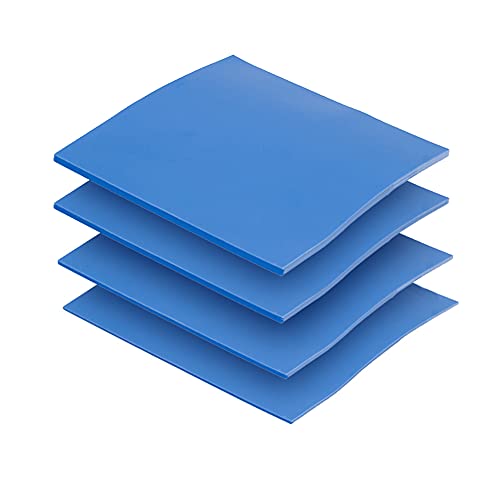
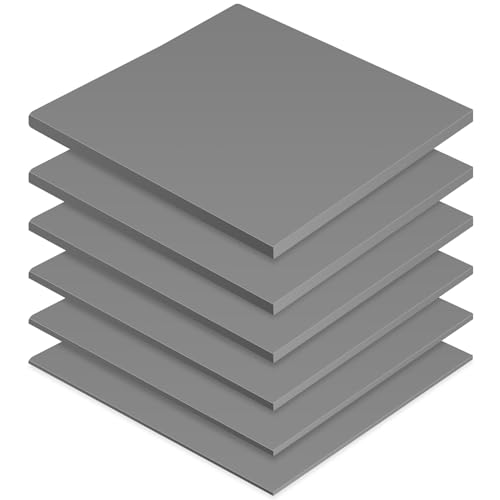

Best Thermal Pads for Graphics Cards and GPUs
The best thermal pads for graphics cards and GPUs are the Thermal Grizzly Minus Pad 8 (2.0 mm, 8 W/mK) for most re-padding jobs where you want maximum heat transfer, the Gelid Solutions GP-Extreme (1.0–2.0 mm, 12 W/mK) for high-conductivity builds on modern high-power cards, and the Arctic TP-3 (0.5–2.0 mm, 6 W/mK) as the budget-friendly, easy-to-cut option for everyday maintenance. If you know only one thing about thermal pads, know this: thickness and compressibility matter more than the conductivity number printed on the pack, because a pad that is 0.5 mm too thin leaves an air gap that ruins contact.
Quick Comparison of the Top Picks
| Pick | Best For | Conductivity | Thickness Options | Hardness / Compressibility | Typical Price (per 100×100 mm sheet) |
|---|---|---|---|---|---|
| Thermal Grizzly Minus Pad 8 | Best overall re-pad | 8 W/mK | 0.5, 1.0, 1.5, 2.0, 2.5, 3.0 mm | Medium-soft, ~40–50 Shore 00 | $12–$28 |
| Gelid Solutions GP-Extreme | Best high-conductivity | 12 W/mK | 0.5, 1.0, 1.5, 2.0, 2.5, 3.0 mm | Soft, high compressibility | $10–$22 |
| Arctic TP-3 | Best budget | 6 W/mK | 0.5, 1.0, 1.5, 2.0 mm | Soft, easy to cut | $6–$14 |
| Fujipoly Extreme / Sarcon | Best for exotic/high-end builds | 11–17 W/mK | 0.5–3.0 mm (varies by SKU) | Soft, premium | $20–$60+ |
| Thermalright Odyssey | Best value for thick gaps | 12.8 W/mK | 1.0, 1.5, 2.0, 2.5, 3.0 mm | Medium-soft | $11–$25 |
Best Overall: Thermal Grizzly Minus Pad 8
Thermal Grizzly’s Minus Pad 8 is the pick most people should start with. Its 8 W/mK rating is more than enough for GDDR6 and GDDR6X memory modules and for VRM sections that typically run between 60 °C and 90 °C under load. The line comes in 0.5 mm increments up to 3.0 mm, which matters because GPU memory and VRM gaps are rarely one uniform depth. Minus Pad 8 does not electrically conduct, so a slightly misaligned cut will not short anything, though you should still keep contact surfaces clean. The trade-off: at medium softness it compresses less than the softest pads, so on a large gap you may need to stack two thicknesses or step up a size.
As an Amazon Associate we earn from qualifying purchases at no extra cost to you.


Best High-Conductivity: Gelid Solutions GP-Extreme
If you are re-padding a card that runs hot — think high-power flagship GPUs with GDDR6X memory — the GP-Extreme’s 12 W/mK rating plus its soft formulation is a strong combination. Soft pads conform to uneven surfaces, which helps when the card’s metal plate or coldplate is not perfectly flat. The 0.5–3.0 mm range means you can match the factory gap closely. The trade-off is that very soft pads can be over-compressed if you use a thin pad where the gap is large, and they can tear if you handle them roughly while cutting. Buy one thickness more than you think you need and cut down.
Best Budget: Arctic TP-3
Arctic’s TP-3 is the value pick and is genuinely good for its price. At 6 W/mK it sits below the premium pads, but for a mid-range card or a maintenance re-pad where the memory already runs within spec, the difference in memory temperature is typically a handful of degrees, not tens. Its soft consistency makes it easy to cut with scissors or a hobby knife, and the 0.5–2.0 mm range covers most mainstream cards. The trade-off: it lacks the thickest sizes (no 2.5 or 3.0 mm) that some high-end cards need for their VRM sections, and it is not as durable if you plan to disassemble the card repeatedly.
Best for Exotic and High-End Builds: Fujipoly Extreme / Sarcon
Fujipoly’s high-conductivity pads (marketed under the Extreme and Sarcon lines) hit 11–17 W/mK depending on SKU and are the choice for people chasing the last few degrees on a flagship card or a small-form-factor build where airflow is poor. They are softer and often more expensive, and the price per sheet can be two to three times that of the budget options. The trade-off is cost and diminishing returns: past roughly 10 W/mK, the limiting factor is usually the mounting pressure and the flatness of the coldplate, not the pad itself.
Best Value for Thick Gaps: Thermalright Odyssey
Thermalright’s Odyssey is rated around 12.8 W/mK and comes in 1.0–3.0 mm thicknesses, making it a good match for cards with deep VRM gaps or a thick coldplate offset. It is medium-soft, so it compresses enough to fill a slightly oversized gap without the fragility of very soft pads. The trade-off is that the thinnest option is 1.0 mm, so it is not suitable for the very tight memory gaps found on some blower-style or low-profile cards.
How to Choose Thermal Pads: The Numbers That Matter
Thermal conductivity is measured in W/mK (watts per meter-kelvin) and tells you how well heat moves through the material. The key reality check is that pad conductivity is much lower than the copper or aluminum it sits against — copper is around 400 W/mK — so the pad is almost always the bottleneck. Going from 6 W/mK to 12 W/mK can lower memory temperatures by several degrees, but going from 12 to 17 W/mK rarely gains more than a degree or two. Beyond about 10–12 W/mK, thickness accuracy and mounting pressure dominate the result.
Thickness must match the actual gap. Measure the old pad, or measure the clearance between the component and the coldplate with a caliper or feeler gauge. As a rule of thumb, choose a pad that is 0.1–0.3 mm thicker than the measured gap so that light compression fills any unevenness — but never so thick that it lifts the coldplate off the GPU die. An over-thick pad on the memory is one of the most common causes of high GPU core temperatures after a re-pad, because it tilts the coldplate and starves the core of mounting pressure.
Compressibility (often given as Shore 00 hardness, or simply described as soft, medium, or firm) tells you how well the pad conforms. Soft pads (roughly 20–40 Shore 00) handle uneven surfaces and slightly oversized gaps; medium pads (40–55) hold their shape and are easier to cut cleanly; firm pads (55+) resist compression and are best only when the gap is precise and consistent.
Sizing and coverage: buy sheets, not pre-cut pieces, unless you are certain of the layout. A 100×100 mm sheet is enough to re-pad most single-GPU cards if you plan your cuts. Use a scale and the old pads as templates, cut with sharp scissors or a hobby knife, and keep the pieces slightly oversized rather than undersized.
Decision Matrix
| Your Situation | Recommended Pad | Why |
|---|---|---|
| First re-pad, mid-range card | Arctic TP-3, 1.0–1.5 mm | Cheap, soft, forgiving of small measurement errors |
| High-power flagship with GDDR6X | Gelid GP-Extreme or Thermalright Odyssey, 1.5–2.5 mm | High conductivity plus softness for hot memory |
| Deep VRM gaps (2.5–3.0 mm) | Thermal Grizzly Minus Pad 8 or Thermalright Odyssey, 3.0 mm | Thick sizes available without stacking |
| Small-form-factor, tight airflow | Fujipoly Extreme / Sarcon | Best conductivity when airflow is limited |
| Repeated disassembly / test bench | Thermal Grizzly Minus Pad 8 | Tougher and less prone to tearing than soft pads |
Ownership Realities: Wear, Reuse, and Common Mistakes
Thermal pads do not last forever. Over years of heat cycling they dry out, harden, and can shed oil (the “pump-out” effect), which reduces contact. Memory and VRM re-pads are typically good for several years; if you are already opening the card to replace GPU thermal paste, replacing the pads at the same time is usually worth it because the old pads may be brittle and will not reseat cleanly.
Pads are generally single-use. Once compressed, they do not spring back fully, so reusing them after a disassembly often leaves gaps. Cleaning: remove old pad residue with isopropyl alcohol (90% or higher) and a lint-free cloth or foam swab; avoid scraping the PCB with metal tools. Common mistakes include cutting pads too small, mixing thicknesses within one memory row, using pad thickness meant for the VRM on the memory, and overtightening the coldplate screws in one pass instead of a cross pattern in stages.
Frequently Asked Questions
What thickness thermal pad does my GPU need?
It depends on the card, not the GPU model family. Measure the old pad or the gap between the component and the coldplate. Common values are 1.0 mm for memory and 1.5–2.5 mm for VRM sections, but flagship and blower cards can differ. Choose a pad 0.1–0.3 mm thicker than the measured gap so it compresses slightly.
Does higher W/mK always mean cooler memory?
No. Conductivity helps, but the gains flatten out past roughly 10–12 W/mK because the mounting pressure and surface flatness become the limiting factors. A correctly sized 6 W/mK pad will usually beat a badly sized 12 W/mK pad, because an air gap is a far worse conductor than any pad.
Can I stack two thermal pads to reach the right thickness?
Stacking works in a pinch but is not ideal. Two stacked pads add an extra interface between them, which increases thermal resistance, and soft pads can slide out of alignment during mounting. If you need 3.0 mm, buy a 3.0 mm pad rather than stacking two 1.5 mm pieces.
Are thermal pads electrically conductive?
Most GPU thermal pads, including the ones listed here, are electrically insulating, so minor contact with nearby components is not a short-circuit risk. Silicone-based pads are the norm. Avoid any pad marketed as conductive or metallic-filled unless the manufacturer specifically states it is safe for direct component contact.
How long do thermal pads last in a GPU?
Expect several years of normal service, but heat cycling, high sustained temperatures, and repeated disassembly shorten that. Pads that have hardened, crumbled, or left oily residue should be replaced. If you are already redoing the GPU paste, replace the pads at the same time.
Should I replace the thermal pads or just the GPU thermal paste?
If memory or VRM temperatures are high or the card is several years old, do both. Replacing only the paste often leaves the old pads compressed and poorly contacting the coldplate, which can actually make memory temperatures worse. If you are unsure whether the pads need replacing, inspect them — brittle, cracked, or oil-soaked pads are done.