Black+Decker Jigsaw Blades: TPI, Shank Type, and Materials
What's inside
As an Amazon Associate I earn from qualifying purchases. This post may contain affiliate links at no extra cost to you.
The Short Answer
Black and Decker jigsaw blades use the standard T-shank (bayonet) fitting, so every current Black+Decker jigsaw — corded models like the BDEJS300C and BDEJS600C, and the 20V MAX cordless — accepts not only Black+Decker’s own blade packs but any T-shank blade from Bosch, Diablo, DeWalt, Milwaukee, or Lenox. From there, the real decision is teeth per inch (TPI) and blade steel, because those two specs determine whether you get a clean edge or a shredded one.
Shank Type: What Actually Fits
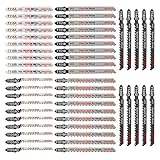
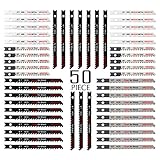
T-shank blades are the modern industry standard: they slide into the clamp with no tools and lock against a spring. U-shank blades are the older standard and require a set screw in most saws. If your Black+Decker jigsaw was made in the last decade or so, it takes T-shank only — a U-shank blade will physically not seat correctly in the clamp.
As an Amazon Associate we earn from qualifying purchases at no extra cost to you.


| Jigsaw | Type | Shank accepted | Notes |
|---|---|---|---|
| BDEJS300C | 4.5A corded | T-shank | Entry-level; basic clamp |
| BDEJS600C | 5A corded | T-shank | Orbital action + wire guard |
| 20V MAX POWERCONNECT (BDCJS20B) | Cordless | T-shank | Tool-free blade release |
| Older/discontinued models (pre-2010 era) | Corded | Varies | Some legacy clamps grip both T and U — check the manual or look for a set screw |
Two quick fit checks: push the blade in until you hear or feel the click, then tug it gently — a properly seated T-shank won’t move. And if a “universal” blade pack lists “T/U dual shank,” verify the tang is actually T-shaped; some budget blades are U-shank with a filed-down tang that sits loosely in a T-clamp and wanders on curves.
TPI: The Number That Controls the Finish
TPI is teeth per inch of blade length. The logic is simple: fewer teeth take bigger bites (fast, rough), more teeth take smaller bites (slow, clean). The rule that matters most in practice is the three-tooth rule — at least three teeth must be in contact with the material at all times, or the blade snags and tears instead of shearing. That’s why thin sheet metal demands high TPI even though it’s easy to cut.
- 6–8 TPI: fast, aggressive cuts in softwood and 2x lumber; rough edges
- 10–12 TPI: clean general-purpose cuts in plywood and hardwood
- 14–20 TPI: fine work — scrolling cuts, laminates, plastics
- 18–24 TPI: sheet metal and metal under 1/8″
- 8–10 TPI: aluminum and non-ferrous metal over 1/8″ (fewer, larger gullets clear soft chips)
Tooth direction matters too. Standard blades cut on the upstroke, which splinters the top face of the material. Reverse-tooth (down-cut) blades cut on the downstroke — the correct pick for laminate countertops, melamine, and veneered plywood where the show face is up.
Blade Steel: Where the Money Goes
- HCS (high-carbon steel): cheapest per blade; fine for clean softwood and occasional use. Dulls quickly in anything abrasive.
- HSS (high-speed steel): handles the heat of cutting metal; often the teeth layer on a bi-metal blade.
- Bi-metal (BIM): HSS teeth welded to a flexible spring-steel body. Resists heat and flex fatigue; the default choice for metal, nail-embedded wood, and laminate.
- Carbide-grit: no teeth at all — tungsten carbide particles bonded to the edge. The only sane option for fiberglass, cement board, cast iron, and tile.
- Carbide-tooth: BIM blade with brazed carbide teeth; premium-priced but outlasts bi-metal many times over in abrasive materials.
The Selection Chart
| Material | TPI | Blade type | Steel | Orbital setting | Realistic blade life |
|---|---|---|---|---|---|
| 2x lumber, softwood (fast/rough) | 6 | Standard, tall gullets | HCS | 2–3 (max) | Many cuts; toss when cut time doubles |
| Plywood, clean edge | 10–12 | Standard or “clean for wood” | HCS or BIM | 0–1 | 50–100+ linear ft (HCS) |
| Laminate countertop / melamine | 10–14 | Reverse-tooth (down-cut) | BIM | 0 | ~100–150 linear ft before edge quality drops |
| Laminate flooring planks | 10–14 | Standard fine or reverse | BIM | 0 | 25–40 linear ft — laminate is brutally abrasive |
| Hardwood curves / scroll work | 14–20 | Narrow scroll blade | HCS | 0–1 | Short — narrow blades heat fast |
| Aluminum >1/8″ | 8–10 | Standard, large gullets | BIM | 0, slow speed | Good; use wax/lubricant |
| Sheet steel <1/8″ (18–20 ga) | 18–24 | Standard fine | BIM/HSS | 0, slow speed | Short; heat is the killer |
| Fiberglass, cement board | n/a | Carbide-grit | Carbide grit | 1–2 | Moderate; wear a respirator |
Well-known examples that map to this chart: Bosch’s T144D (6 TPI fast wood), T101B (10 TPI clean wood), T101BR (10 TPI reverse for laminate), T118A (fine metal), and Diablo’s equivalent DJT-series bi-metal blades — all T-shank, all drop straight into a Black+Decker clamp.
Cost Per Cut: A Quick Worked Example
Blade pricing in 2026 runs roughly $1.50–$3 per HCS blade, $2.50–$5 per bi-metal, $8–$15 per carbide-tooth, and $10–$25 for assorted multi-packs. The cheap option isn’t always the cheap option. Say you’re trimming 100 linear feet of laminate flooring:
- HCS 10 TPI at ~$2.20: abrasive laminate wears the edge after ~25 ft → 4 blades → ~$8.80 plus four blade changes.
- Bi-metal 10 TPI at ~$4.00: holds an edge for ~150 ft → 1 blade → ~$4.00, no mid-job swaps.
In abrasive materials, bi-metal costs half as much per foot despite costing nearly double per blade. The reverse holds for clean softwood, where an HCS blade will outlast the job anyway — spending bi-metal money there buys nothing. Match steel to abrasiveness, not to budget.
Setup for a Clean Cut
- Turn orbital action off (setting 0) for laminate, metal, and any finish cut. Orbital mode trades edge quality for speed — only use it for rough lumber.
- Check blade projection: the blade should extend about 1″ beyond the workpiece at the bottom of the stroke. Too little and teeth ride in the kerf; too much and it deflects.
- Support the work on both sides of the cut line with the good face down (or use a reverse-tooth blade if the good face must be up).
- Tape the cut line on laminate and melamine — painter’s tape under the shoe visibly reduces chipping.
- Slow the trigger down in metal; let tooth count do the work. A drop of cutting oil or wax on the blade roughly doubles blade life in steel and aluminum.
What Wears Out First
Jigsaw blades rarely break — they blunt, and the first sign is the saw needing pushing rather than guiding. In order of what actually kills them: heat (metal cutting at full speed, no lube), tooth wear (laminate, MDF, and any glued material — resin is harder on edges than wood), set loss (teeth bent from forcing curves the blade is too wide to turn), and tang fatigue (cheap blades in aggressive orbital mode). Store blades dry; a rusty HCS blade tracks badly. The commonest beginner mistake is blaming the saw for a burnt, wandering cut that a fresh $2 blade would have fixed.
FAQ
Do Bosch or Diablo blades fit a Black+Decker jigsaw?
Yes. T-shank is a shared standard, so any T-shank blade seats in any current Black+Decker clamp. Many owners buy Black+Decker’s own multi-packs for convenience and Bosch/Diablo singles for specialty cuts.
Can I use U-shank blades in a modern Black+Decker jigsaw?
No — the tool-free T-clamp can’t grip a U-shank tang. A handful of discontinued Black+Decker models accepted both; if your saw has a visible set screw in the blade holder, it may be one of them.
Why does my cut chip on top even with a fine blade?
Standard blades cut upward, pulling fibers out of the top face. Either flip the work so the show face is down, switch to a reverse-tooth blade, or tape the line.
How do I know a blade is dull?
Increased feed pressure, burning or browned edges in wood, and the blade wandering off the line are the three tells. Blades are consumables — if a cut suddenly fights you, swap it before blaming technique.