Best Budget Inspection Camera for Checking a Drain Line
What's inside
As an Amazon Associate I earn from qualifying purchases. This post may contain affiliate links at no extra cost to you.
What you need for a drain-line check
For a homeowner checking a slow sink, tub, or laundry drain, a budget inspection camera can help locate a blockage and show whether the pipe is holding standing water, collecting debris, or visibly damaged. It is not a substitute for a plumber’s equipment: inexpensive cameras often have short, thin cables that are hard to steer, and a murky image may not distinguish a crack from dirt.
For many household drains, a 15- to 30-foot cable and a camera head around 8 to 12 mm across are a reasonable starting point. Smaller heads can pass through tighter bends, but may be harder to center and can provide a less useful view. Choose cable length for the route you need to inspect, not the largest number on the box. Extra cable is no help if it kinks or buckles in a bend.
As an Amazon Associate we earn from qualifying purchases at no extra cost to you.


Budget options and trade-offs
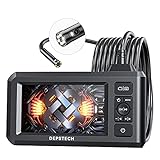
At the low end, a USB or Wi-Fi camera that connects to a phone can be enough for a short, accessible branch line. It keeps the initial cost down, but you may have to manage the phone, connection, and cable at the same time. A screen-equipped handheld unit costs more, yet is usually easier to use in a dim utility area and less dependent on a phone staying connected.
Look for a camera with adjustable lighting, a stated waterproof rating, and a cable that resists kinking. A self-leveling image can make orientation easier, but it is not essential for finding a simple obstruction. A locator sonde is useful when you need to mark a camera head’s position from above ground; many budget cameras lack one. Do not pay extra for a feature unless it solves a real part of your job.
| Type | Typical budget range | Best for | Main compromise |
|---|---|---|---|
| Phone-connected camera | About $25–$80 | Short checks in accessible drains | Phone connection and handling can be fiddly |
| Handheld camera with screen | About $80–$200 | Regular home troubleshooting | Image and cable quality vary widely |
| Push camera with longer cable | About $200–$500 | Longer runs and repeated use | Still may lack a locator or a durable reel |
These are broad street-price ranges, not guarantees; promotions and included accessories change the value. Compare cable length, head diameter, warranty, and return policy before comparing headline resolution. A claimed high pixel count cannot fix a lens covered in grease or a cable that will not reach the area.
What to buy for a typical home
For an occasional inspection of a sink or tub branch, a short phone-connected drain inspection camera is a sensible low-cost choice. It is fine for confirming that a nearby trap or branch is clear, especially if you can remove the trap and feed the camera into a straight section. Avoid forcing it around multiple tight elbows: thin cables can fold back on themselves, and a stuck camera can turn a cheap diagnostic into a retrieval problem.
If you expect to inspect several drains or want a screen you can see without handling a phone, consider a handheld drain camera with a built-in screen. Spend more only when the cable and head are suited to your pipe size and access points. A longer cable is useful for reaching a main line, but budget push cables can be difficult to steer and may spring back. For repeated work, a sturdier reel and replaceable camera head matter more than a long list of image settings.
Before you feed the camera
Start at an accessible cleanout or a removed trap, not by pushing blindly through a fixture. Check that the head fits the opening and that the cable is rated for the wet environment. Wear gloves and eye protection, and keep the camera away from powered equipment or chemicals. If a drain cleaner has been used recently, follow its label and do not expose yourself to splashback while opening the line.
Feed the cable slowly, using short advances of a few inches. Rotate gently rather than twisting hard. When the head stops, ease back and try a small change in angle; do not push against firm resistance. A cable that kinks, a head that snags at an elbow, or a sudden loss of video are signs to stop. Pulling hard can damage the cable, separate the head, or wedge it in the pipe.
Wipe the lens between passes and keep the camera moving when the line is flowing with water. Standing water, sludge, and a lens coated in grease can make the picture look like a blockage or hide a defect. Record the distance as cable goes in, but treat it as approximate: the cable may bow through a bend, so its length is not a precise map of where the head sits.
When a budget camera is not enough
A basic camera can show visible roots, a large obstruction, or a section of pipe that holds water, but it may not tell you the cause. Reflections can resemble cracks, and a dark patch could be grease, scale, or a damaged surface. A camera without a locating sonde cannot reliably mark an underground spot from above. If the problem is recurring, the run is long, or you need to pinpoint a repair, renting professional equipment or hiring a drain contractor may save time and prevent guesswork.
For a one-time check of a short line, the cheaper camera is often adequate. For a recurring blockage or a long buried run, prioritize a robust cable, dependable image, and a way to locate the camera over extra accessories. Buy for the pipe you can actually access, and stop if the camera meets resistance rather than treating more cable as a fix.